
DNS over TLS on pfSense: Encrypt Unbound's Upstream Queries
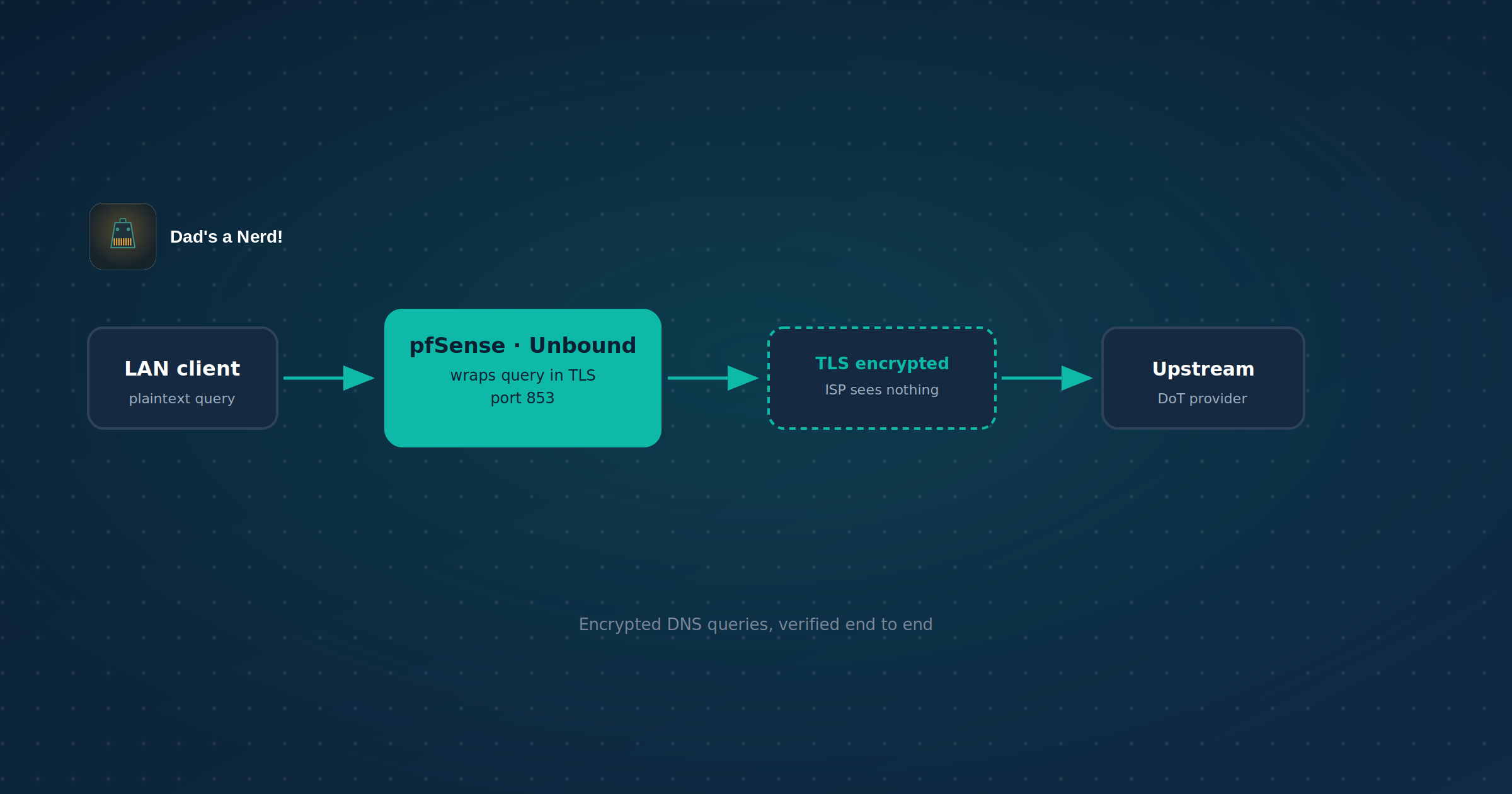
Every unencrypted DNS query leaves the network in plaintext — your ISP, and anyone else on the path, sees every domain being looked up, even if the site itself is HTTPS. DNS over TLS (DoT) encrypts that query between pfSense’s Unbound resolver and the upstream DNS provider, closing that specific gap. This is the resolver both WireGuard guides already point client DNS at — this post covers securing it.
What this does and doesn’t protect
| Covered by DoT | Not covered | |
|---|---|---|
| ISP seeing which domains you look up | Yes | — |
| On-path DNS spoofing/tampering of the upstream query | Yes | — |
| Traffic content once a connection is made | — | No — DoT is DNS only, not a VPN |
| Which IPs you connect to (visible via the connection itself) | — | No — SNI/IP are still visible unless also using something like encrypted SNI or a VPN |
| Local, LAN-side query visibility (anyone on your LAN) | — | No — DoT only covers the pfSense-to-upstream leg |
DoT vs. DoH — why this guide uses DoT
Unbound (pfSense’s resolver) has native, GUI-exposed support for DNS over TLS. It does not natively speak DNS over HTTPS (DoH) as a client — getting DoH would mean chaining Unbound to an external DoH-capable forwarder (e.g., cloudflared) running as a separate service, adding a moving part for no real security difference at the resolver level. DoT is the natural fit for pfSense’s built-in tooling; use it unless something specific requires DoH.
Prerequisites
- pfSense running DNS Resolver (Unbound) — not DNS Forwarder (dnsmasq). Two services can’t share port 53; if the Forwarder is enabled, switch to the Resolver first (Services > DNS Forwarder, disable; Services > DNS Resolver, enable)
- A DoT-capable upstream provider (Cloudflare, Quad9, Google Public DNS all support it)
- 10 minutes
Step 1: Pick an upstream DoT provider
Each provider needs both an IP and a hostname — the hostname is used for TLS certificate validation, not just DNS lookup.
| Provider | IPv4 | IPv6 | Hostname |
|---|---|---|---|
| Cloudflare | 1.1.1.1, 1.0.0.1 | 2606:4700:4700::1111, 2606:4700:4700::1001 | cloudflare-dns.com |
| Quad9 | 9.9.9.9, 149.112.112.112 | 2620:fe::fe, 2620:fe::9 | dns.quad9.net |
8.8.8.8, 8.8.4.4 | 2001:4860:4860::8888, 2001:4860:4860::8844 | dns.google |
Pick one provider, use its full set of addresses — mixing providers across entries works technically but complicates cert validation troubleshooting later. Quad9 additionally filters known-malicious domains at the resolver level, if that’s a factor in the choice.
Step 2: Add the DNS servers
System > General Setup, DNS Server Settings. Add each address from the chosen provider as a separate entry — IP in the address field, hostname in the corresponding hostname field. Check DNS Server Override is unchecked (leaving it checked lets the WAN’s DHCP-provided DNS override these entries, which defeats the point).
Step 3: Enable forwarding mode with TLS
Services > DNS Resolver > General Settings:
- DNS Query Forwarding: checked — this is required; DoT only applies to forwarded queries, not Unbound’s default root-server resolution mode
- Use SSL/TLS for outgoing DNS Queries to Forwarding Servers: checked
Save, Apply Changes.
Show Image
The DNSSEC tradeoff
DNSSEC validation is not generally compatible with forwarding mode — with or without DoT. This applies whether or not TLS is involved; forwarding mode itself is the reason, not the TLS layer. If DNSSEC validation currently matters to your setup, this is a real tradeoff to weigh: DoT trades ISP-visibility protection for DNSSEC’s cryptographic proof that responses weren’t tampered with in transit. Most home/small-business setups aren’t running DNSSEC validation today regardless, in which case this tradeoff doesn’t cost anything you already have — but check Services > DNS Resolver > Advanced Settings > DNSSEC before assuming that’s true for your box specifically.
Step 4: Verify it’s actually working
Checking the box doesn’t confirm the TLS connection is real — verify it independently.
Show Image
Diagnostics > DNS Lookup confirms Unbound answers queries at all — it does not confirm those queries are using TLS upstream. A resolver serving from cache, or falling back to plaintext if the TLS handshake silently failed, would look identical here.
Diagnostics > States, filtered to port 853, confirms an actual live connection to the upstream provider’s IP on the TLS port — stronger evidence, but still not proof the payload is genuinely encrypted rather than just using that port number.
Diagnostics > Packet Capture, port 853, inspected in Wireshark, is the only step that’s actually definitive: a real TLS handshake (ClientHello/ServerHello, certificate exchange) with no visible plaintext query inside it. Repeat with a domain you’re confident isn’t already cached, since a cached answer wouldn’t generate new upstream traffic to inspect at all.
Extra credit: force all LAN DNS through Unbound (optional)
This is an optional hardening step, not required for DoT itself to work. Everything above secures DNS for clients that are actually using pfSense as their resolver. It does nothing about a device configured with its own hardcoded DNS server — a phone with 8.8.8.8 typed in manually, a smart TV shipping with its own DNS baked in, a laptop someone set to Quad9 directly. Those devices skip Unbound entirely and their queries go out in plaintext, DoT configuration notwithstanding.
Forcing all LAN DNS through pfSense closes that gap by redirecting any outbound port 53 traffic — regardless of where it’s addressed — back to Unbound.
Firewall > NAT > Port Forward, add two rules (TCP and UDP) on the LAN interface:
| Field | Value |
|---|---|
| Interface | LAN |
| Protocol | TCP (add a matching UDP rule) |
| Source | LAN net |
| Destination | any |
| Destination port | 53 |
| Redirect target IP | pfSense’s LAN interface address (not 127.0.0.1 — using the LAN IP avoids needing NAT reflection enabled) |
| Redirect target port | 53 |
This silently intercepts any DNS request leaving the LAN for port 53, no matter what IP it was originally addressed to, and hands it to Unbound instead. Clients don’t need reconfiguring and won’t see an error — their query just gets answered by pfSense instead of wherever they thought they were asking.
Exempt anything that needs to bypass this deliberately. If a specific device legitimately needs to reach an external DNS server directly (a second internal resolver, a vendor appliance with hardcoded DNS a support contract requires), create a Firewall Alias listing those source IPs, and add a rule above the redirect that passes their traffic through untouched.
What this doesn’t catch: devices using DNS over HTTPS with a fixed, non-configurable resolver — iOS/Android “Private DNS,” Firefox’s built-in DoH default, some IoT devices — ride over port 443, indistinguishable from any other HTTPS traffic, so a port-53 redirect has nothing to intercept. Blocking that requires either disabling DoH at the OS/browser level on each device, or blocklisting known DoH provider IPs/SNI at the firewall — a materially bigger undertaking than this section, and not covered here.
Troubleshooting
No DNS resolution after enabling: confirm every server listed in System > General Setup actually supports DoT — if even one doesn’t, and forwarding mode requires all forwarders to respond via TLS, resolution can fail outright rather than silently falling back.
Resolution works but packet capture shows plaintext on 853: the hostname field likely doesn’t match the certificate the provider presents at that IP — double check exact spelling against the provider’s own documentation (a typo’d hostname breaks cert validation, and depending on configuration this can silently fail differently than a total outage).
Works from pfSense’s own diagnostics but not from LAN clients: confirm LAN clients are actually pointed at pfSense for DNS (DHCP-assigned DNS server = pfSense’s LAN IP) rather than their own upstream/ISP DNS — this is a client-side config issue, not a DoT issue, but presents identically from the client’s perspective.
FAQ: DNS over TLS on pfSense
Does DoT slow down DNS resolution? Marginally — the TLS handshake adds latency to uncached queries, though connection reuse and Unbound’s caching mean this is rarely noticeable in practice for typical browsing.
Can I use DoT and still run DNSSEC? Not through pfSense’s built-in forwarding-mode DoT — see the DNSSEC tradeoff section above. Running your own DNSSEC-validating recursive resolver instead of forwarding is the alternative if both matter, but that’s a materially different, more involved setup.
Is DoH better than DoT? Not meaningfully more secure at the resolver level — the encryption guarantee is comparable. DoH’s main practical advantage is blending in with regular HTTPS traffic on port 443, making it harder to selectively block; DoT is trivially identifiable and blockable by port 853 alone. For a home/business resolver you control, that distinction rarely matters — pfSense’s native DoT support makes it the simpler choice either way.
Does this stop my ISP from seeing what sites I visit? No — it stops them from seeing DNS lookups. The site’s IP address is still visible in the connection itself (and often its hostname via SNI, unless that’s separately encrypted). DoT closes one specific visibility gap, not general browsing privacy.
Do I need to do this if I already use a VPN? If a remote-access or site-to-site tunnel is up and DNS is routed through it to pfSense’s resolver (as in both WireGuard guides), DoT still adds value for the pfSense-to-upstream leg specifically — the VPN protects the client-to-pfSense hop, DoT protects the pfSense-to-internet hop. They cover different segments of the same query’s journey.
Do I need to force all DNS through pfSense for DoT to matter? No — that’s a separate, optional hardening step (see Extra Credit above). DoT itself works for any client actually using pfSense as its resolver; forcing traffic through it just closes the gap for devices that aren’t.
Related reading
- pfSense WireGuard IPv6 Setup: Full Tunnel and Split Tunnel Guide
- Multi-Site VPN on pfSense: Connect Multiple Locations with WireGuard
- IPv6 Subnetting Guide: CIDR Prefixes & Usable Ranges
Recap
- DoT encrypts the pfSense-to-upstream DNS leg — it’s not a VPN and doesn’t hide connection IPs or SNI
- Requires DNS Resolver (Unbound), not DNS Forwarder — check which is running first
- Both an IP and a hostname are needed per upstream server; the hostname validates the TLS cert
- Forwarding mode + the TLS checkbox are both required — forwarding alone isn’t encrypted
- DNSSEC validation doesn’t work in forwarding mode, with or without TLS — a real tradeoff for setups that use it
- Checking the box isn’t verification — confirm with states/port 853, then packet capture for definitive proof
- Complements a VPN rather than replacing one — different segments of the same query path
- Optional: force all LAN DNS through Unbound via NAT redirect on port 53, to catch devices with their own hardcoded DNS — doesn’t catch DoH, which needs separate handling